How It Works
Learn How It Works
Everything you need to know about managing your call center operations
AI Summaries
When enabled, SimpleCallCenter automatically generates an AI summary after each call and attaches it to the call record.
What the summary can include:
- A clear call recap (what the caller wanted, what the agent did, outcome / next steps)
- Extracted contact details mentioned in the call, such as:
- name
- address
- company
- Automatic flags for review if agent tone or behavior looks suspicious (for example aggressive, inappropriate, or unusual patterns)
These summaries help supervisors and agents understand calls fast without replaying audio.
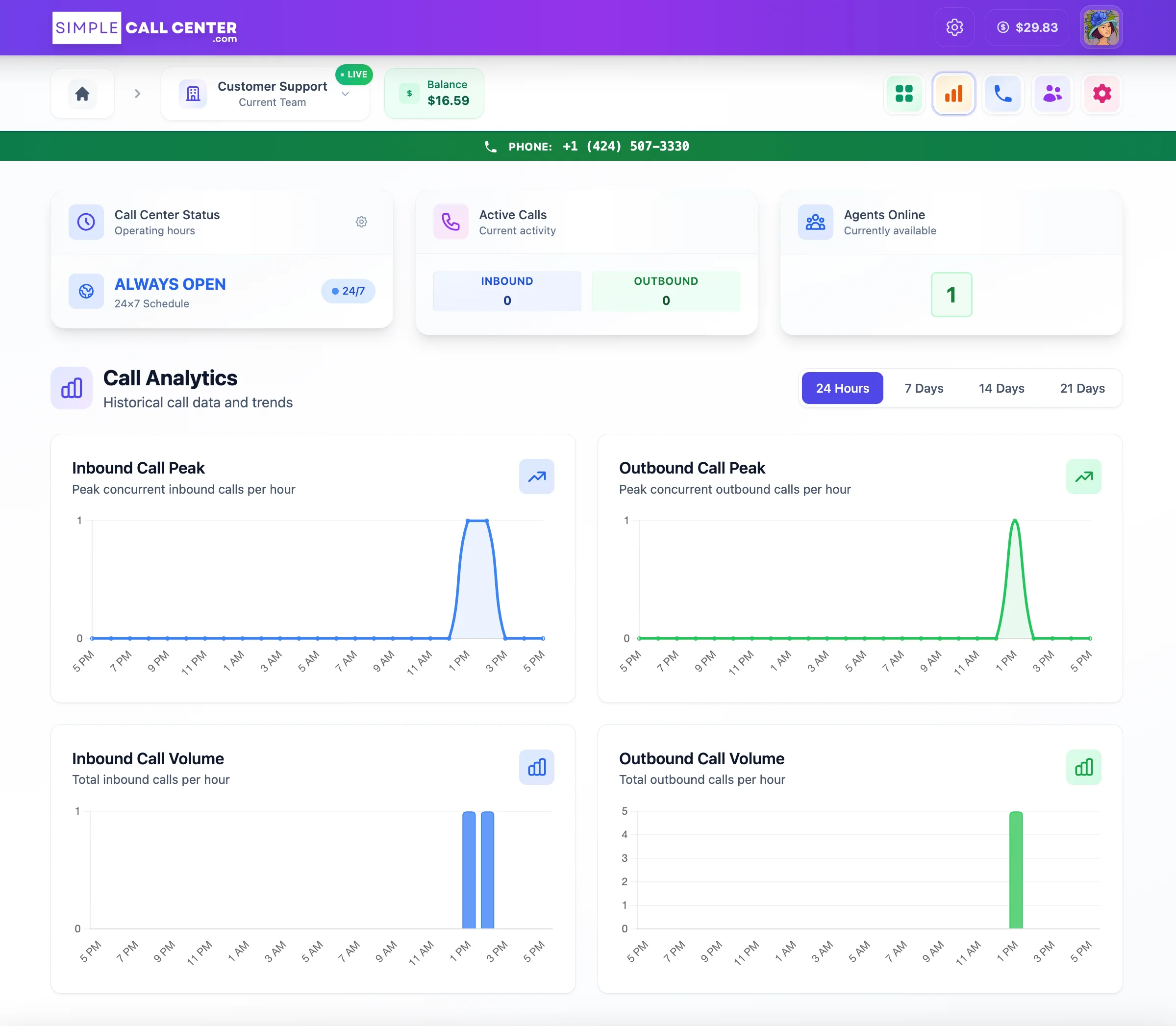
Live Dashboard
Real-time call activity, agent status, and queue metrics
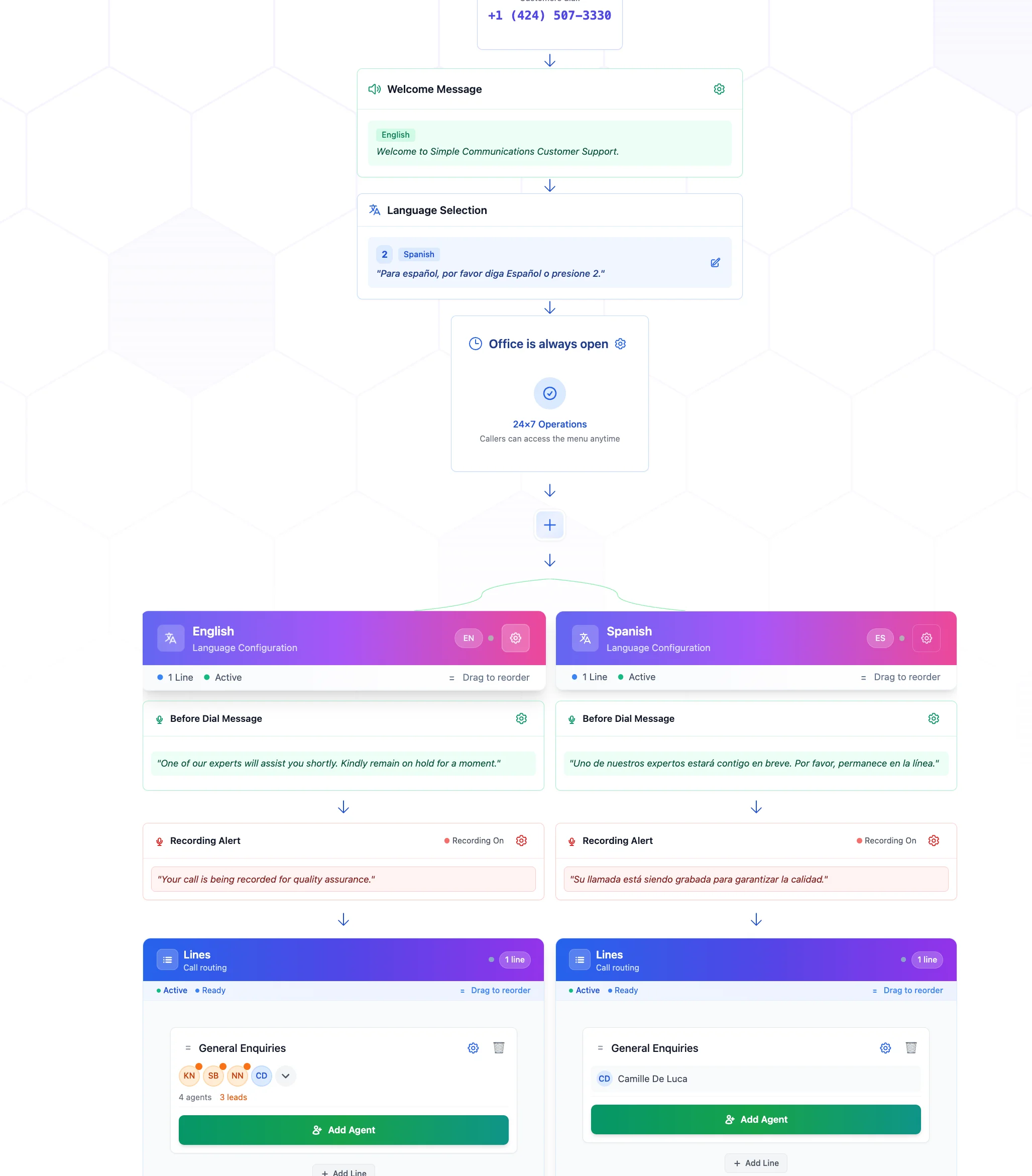
Inbound Flow
Visual call flow builder for routing and IVR configuration
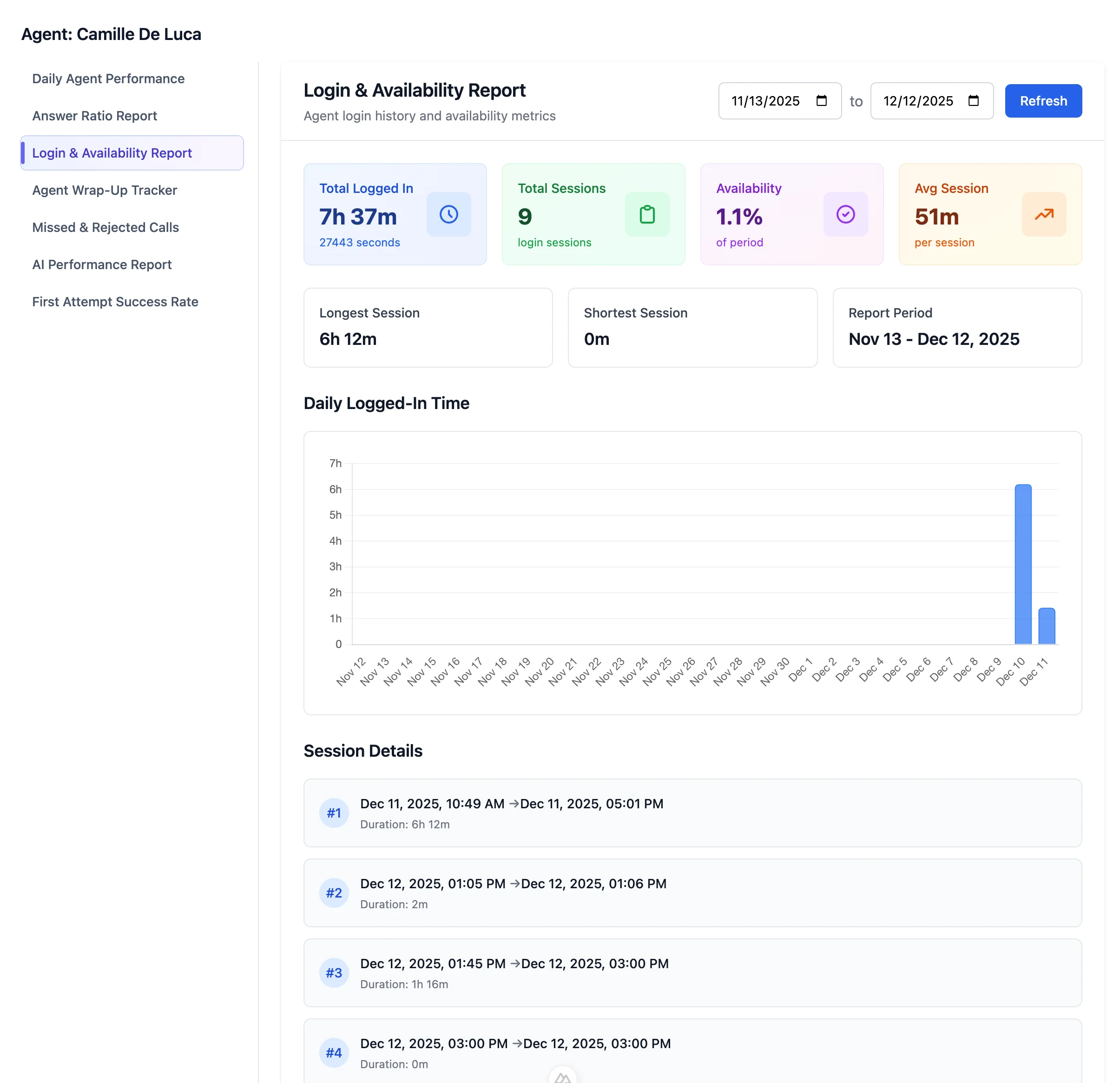
Agent Evaluation
Agent login history and performance tracking
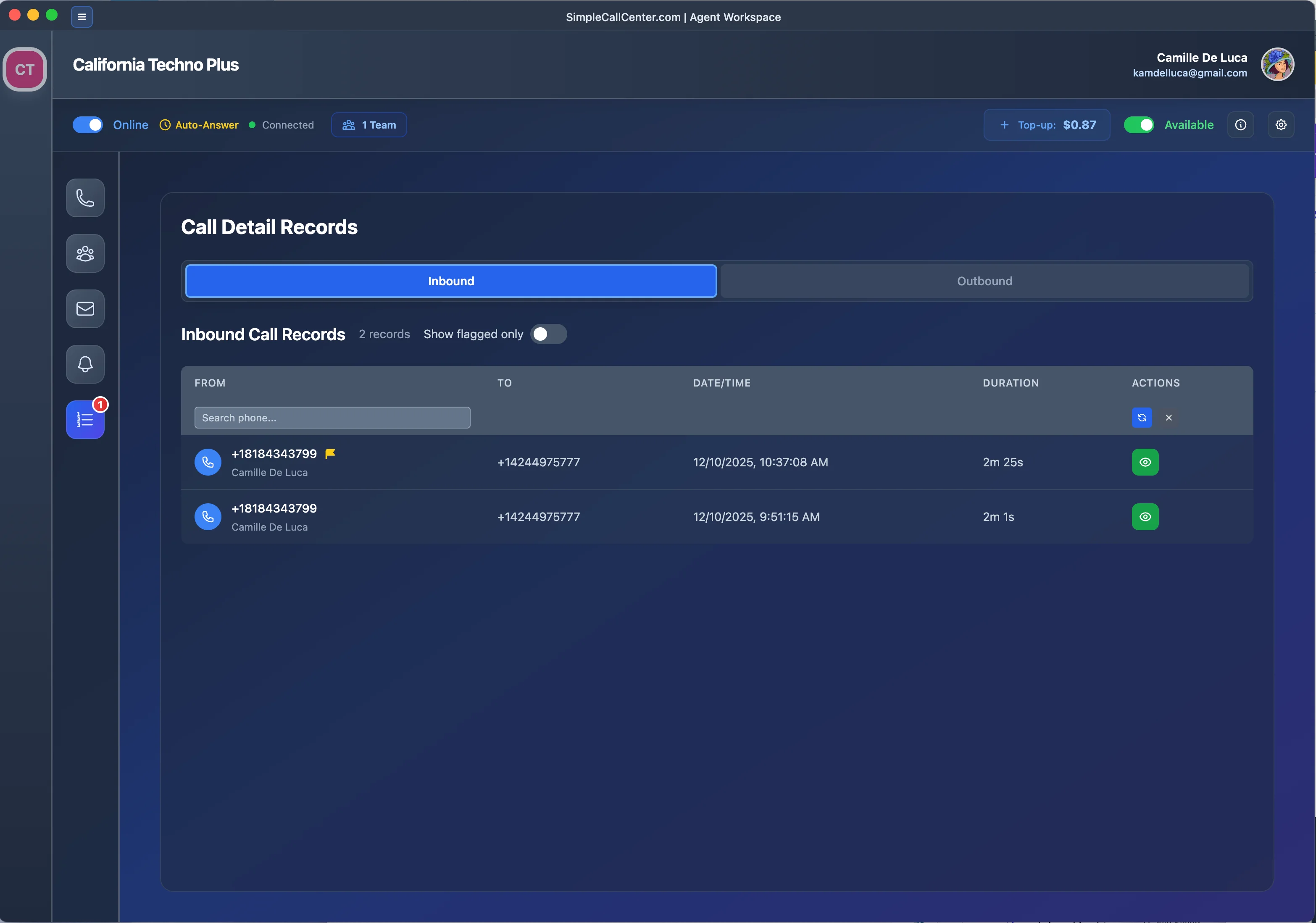
CDR View
View call detail records with AI flags and quality indicators
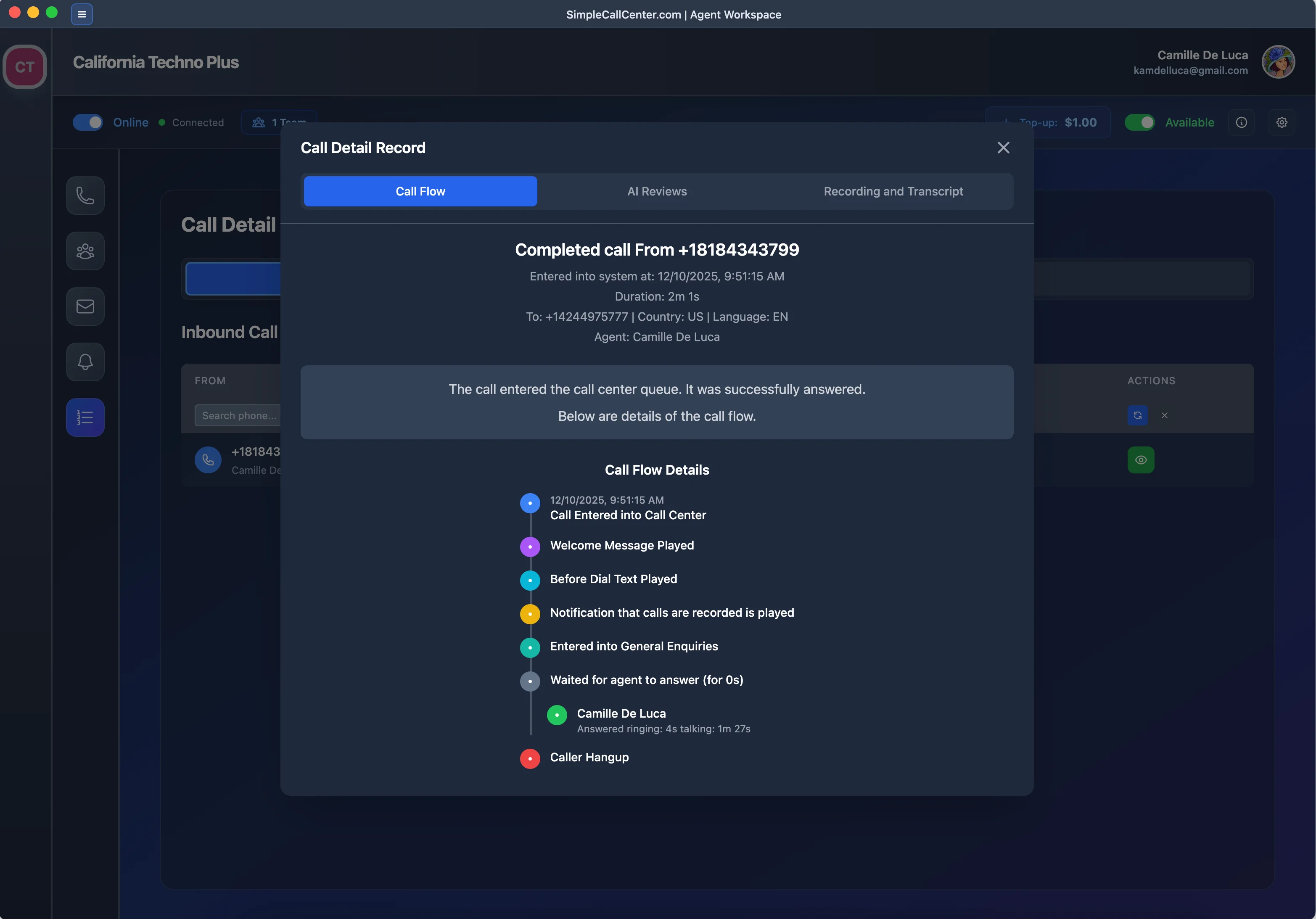
Call Journey
Track the complete call journey and interaction flow
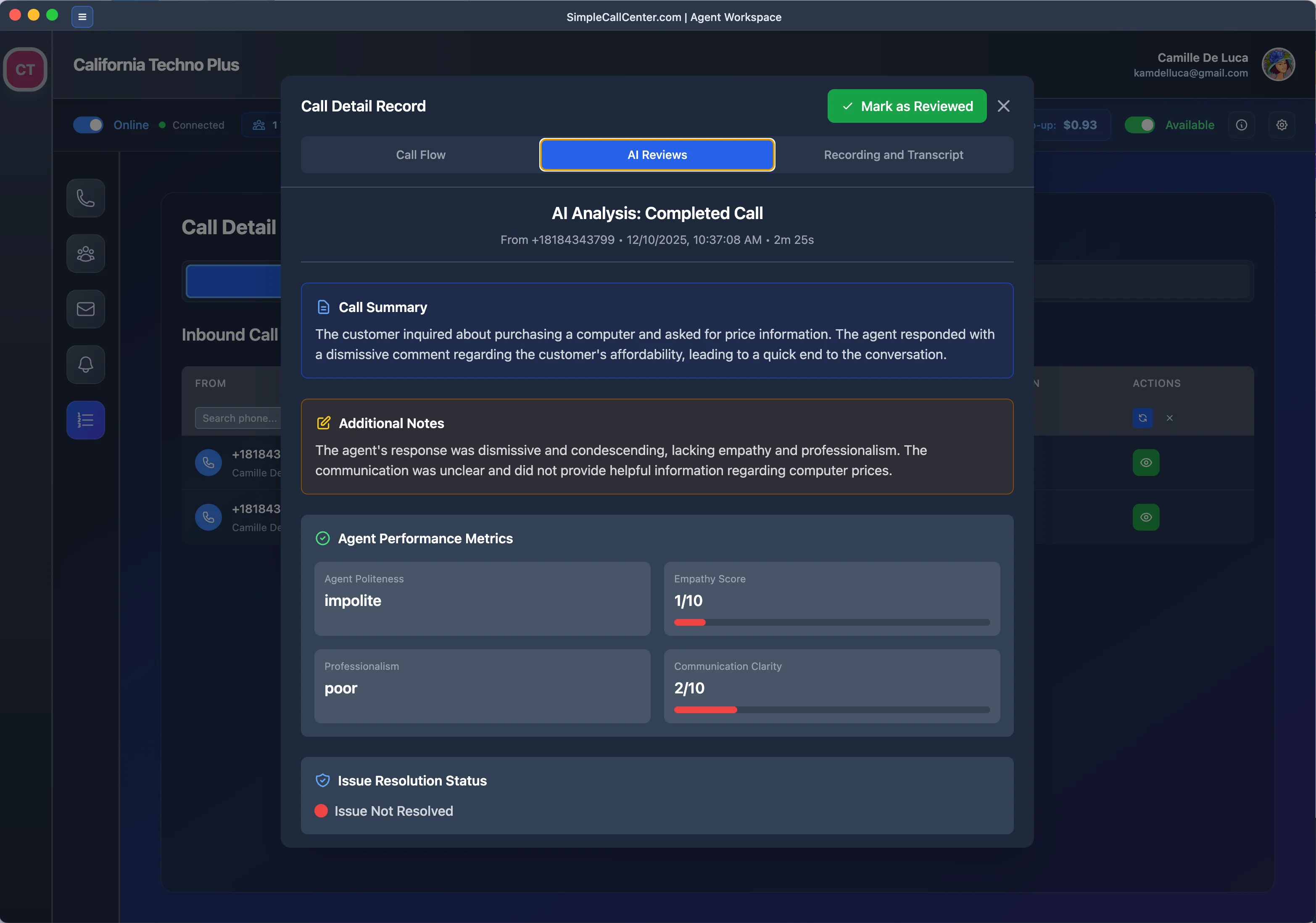
AI Review
AI automatically reviews and flags calls that need attention
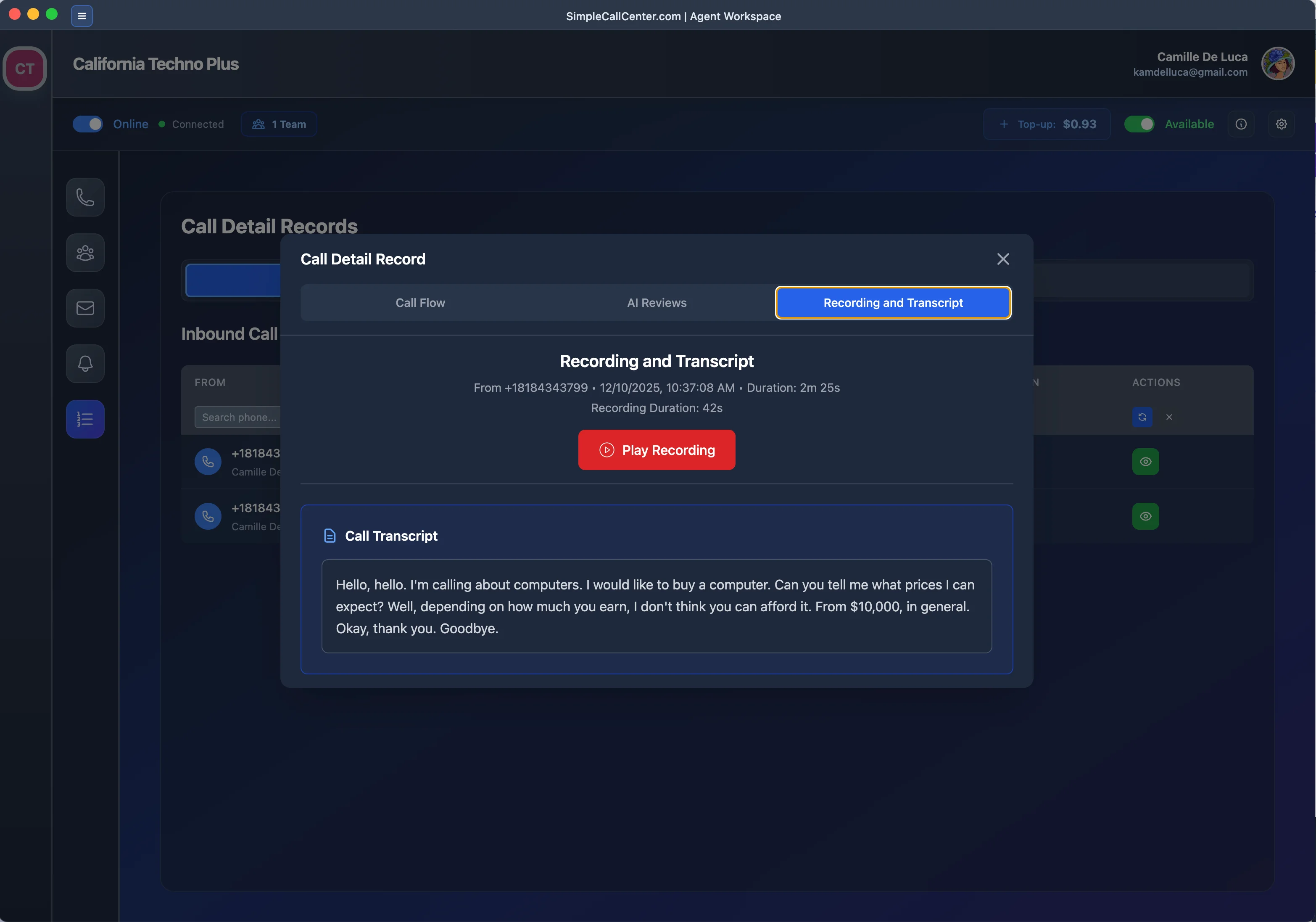
Recording & Transcript
Access full recordings and transcripts for flagged calls

AI Statistics
Comprehensive statistics and analytics on call quality