Quality Control With AI
SimpleCallCenter automatically checks call quality in the background — every recorded call is transcribed, summarized, and analyzed by AI, so bad experiences don't hide in the averages.
AI-Powered Quality Control
Continuous quality monitoring without hiring a separate QA department
Automatic Call Analysis
Every recorded call is automatically transcribed, summarized, and analyzed by AI in the background, so bad experiences don't hide in the averages.
Full Transcript & Summary
After a call ends, the system generates a complete transcript and short call summary, providing full visibility into what happened during the conversation.
Intelligent Flagging
AI flags only risky calls where agents sound rude, dismissive, or when customers don't get clear answers or solutions.
Desktop App Integration
Flagged calls and quality indicators are visible directly in the desktop app, making it easy for supervisors to spot issues immediately.
Advanced Filtering
Supervisors can filter CDRs by "flagged by AI", open transcripts, and listen to recordings to make informed quality judgments.
Pattern Analysis
Track patterns by agent, queue, and time period to identify who gets more flagged calls and which lines cause trouble over time.
What Gets Flagged?
The AI doesn't flag every call — it flags the ones that look risky
Agent Behavior Issues
The agent sounds rude, dismissive, or impatient during the conversation.
Unresolved Repetition
The customer keeps repeating the same problem without getting a clear answer.
No Solution Provided
The agent never actually provides a solution or next step to resolve the issue.
Unconfirmed Resolution
The call ends without confirming whether the issue was actually resolved.
See It In Action
Explore the AI quality control features in the desktop app
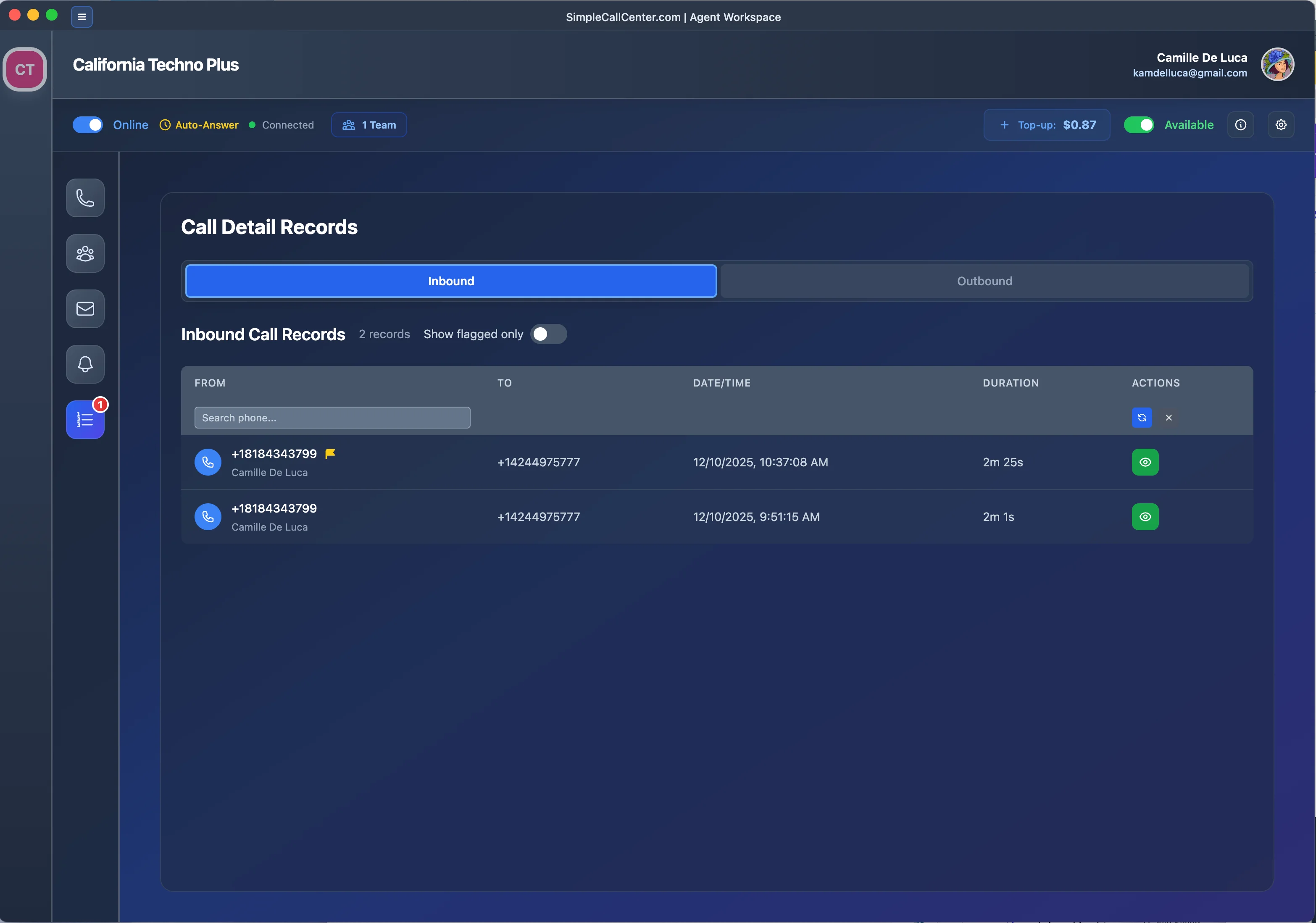
CDR View
View call detail records with AI flags and quality indicators
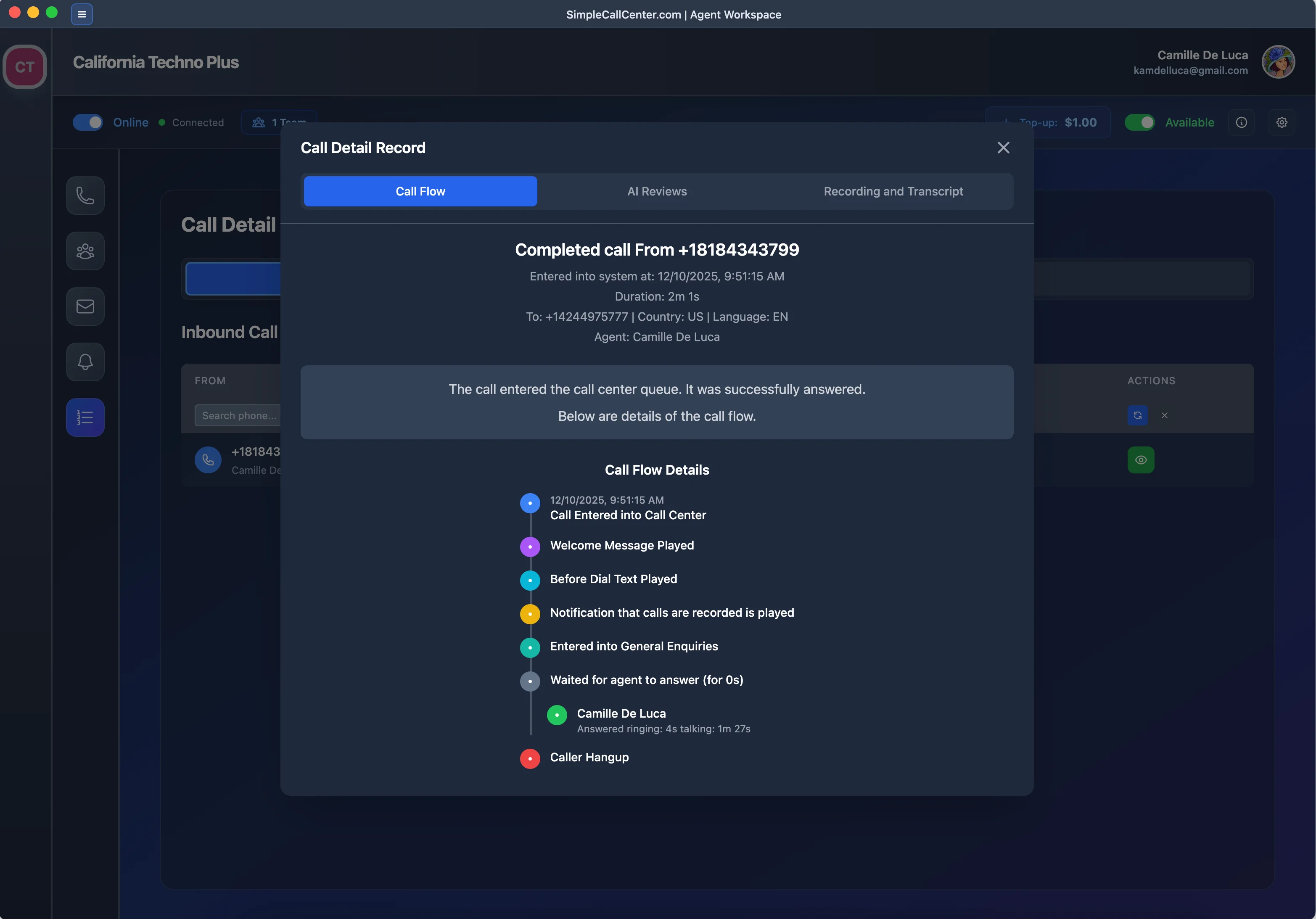
Call Journey
Track the complete call journey and interaction flow
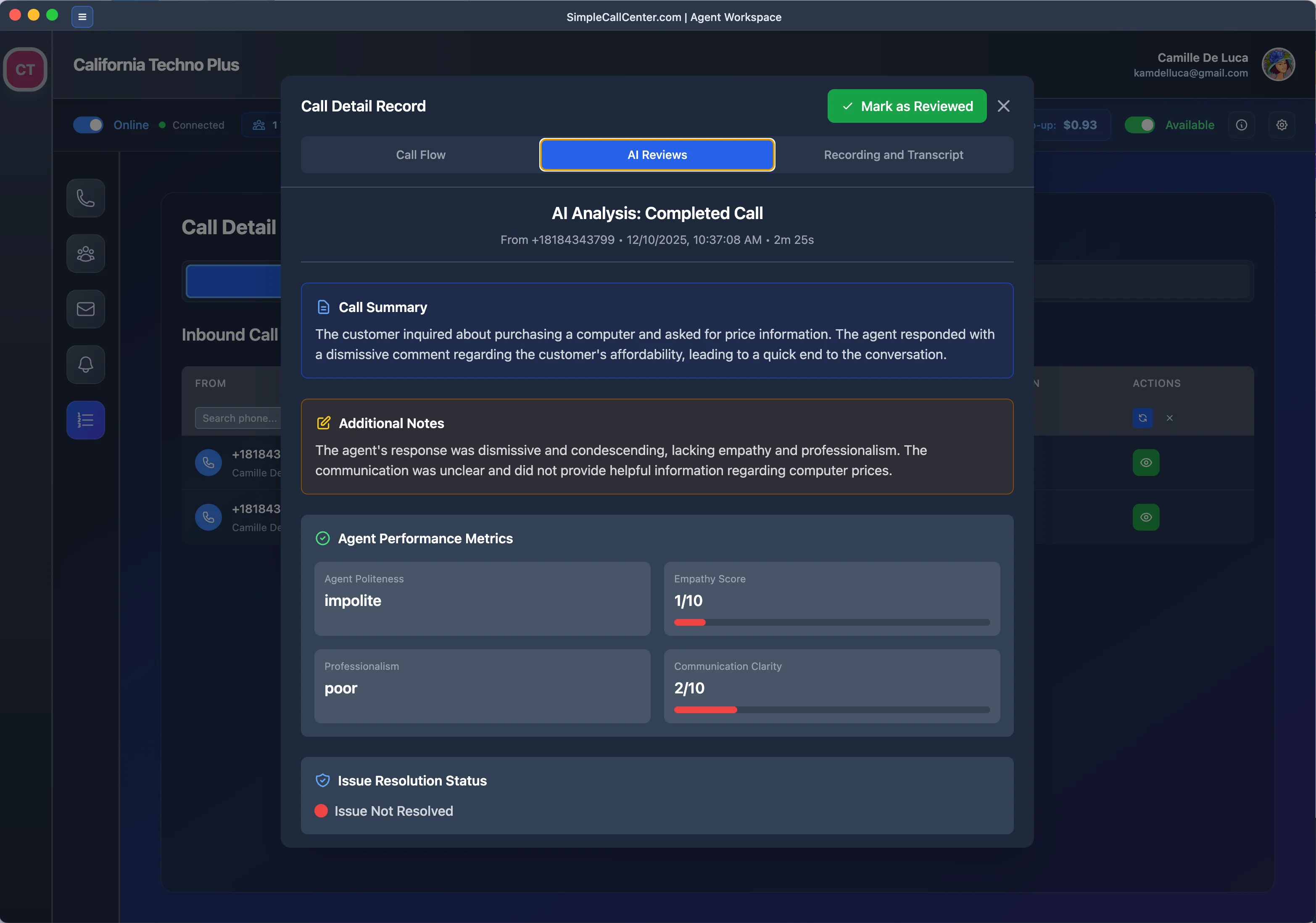
AI Review
AI automatically reviews and flags calls that need attention
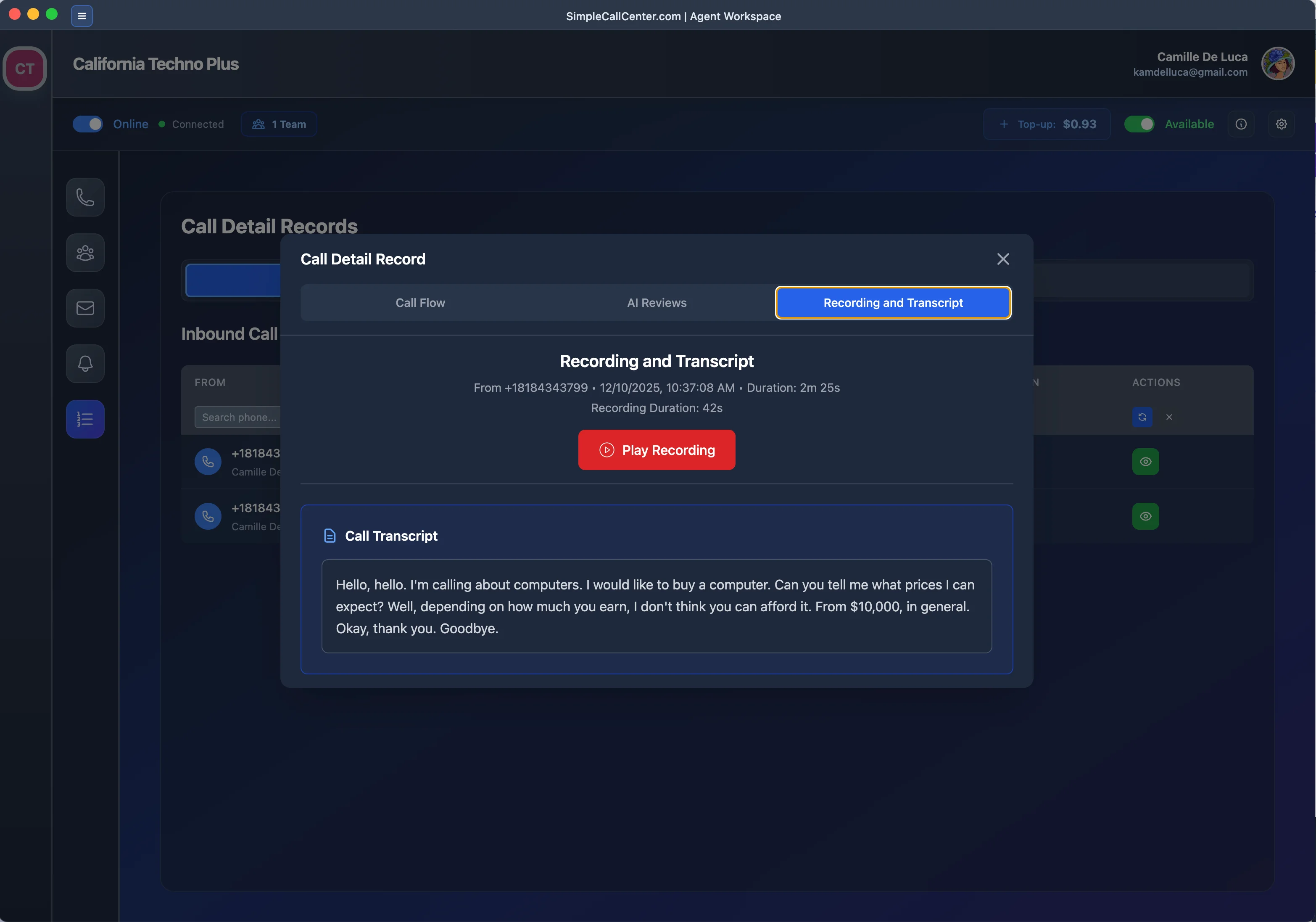
Recording & Transcript
Access full recordings and transcripts for flagged calls

AI Statistics
Comprehensive statistics and analytics on call quality
How It Works
When a call is flagged as "Needs review", the flag, summary, transcript, and recording link are saved together with the CDR. Supervisors can filter CDRs by "flagged by AI", open the transcript, and listen to the recording.
This gives you continuous quality control without hiring a separate QA department to listen to random samples all day — AI surfaces the suspicious calls, humans make the final judgment.