Missed Call Processing
SimpleCallCenter doesn't just say "missed call" and move on — it understands how the call was lost and whether the caller had a chance to leave a voicemail.
Intelligent Missed Call Tracking
Complete visibility into every call that didn't reach an agent
Complete Call Tracking
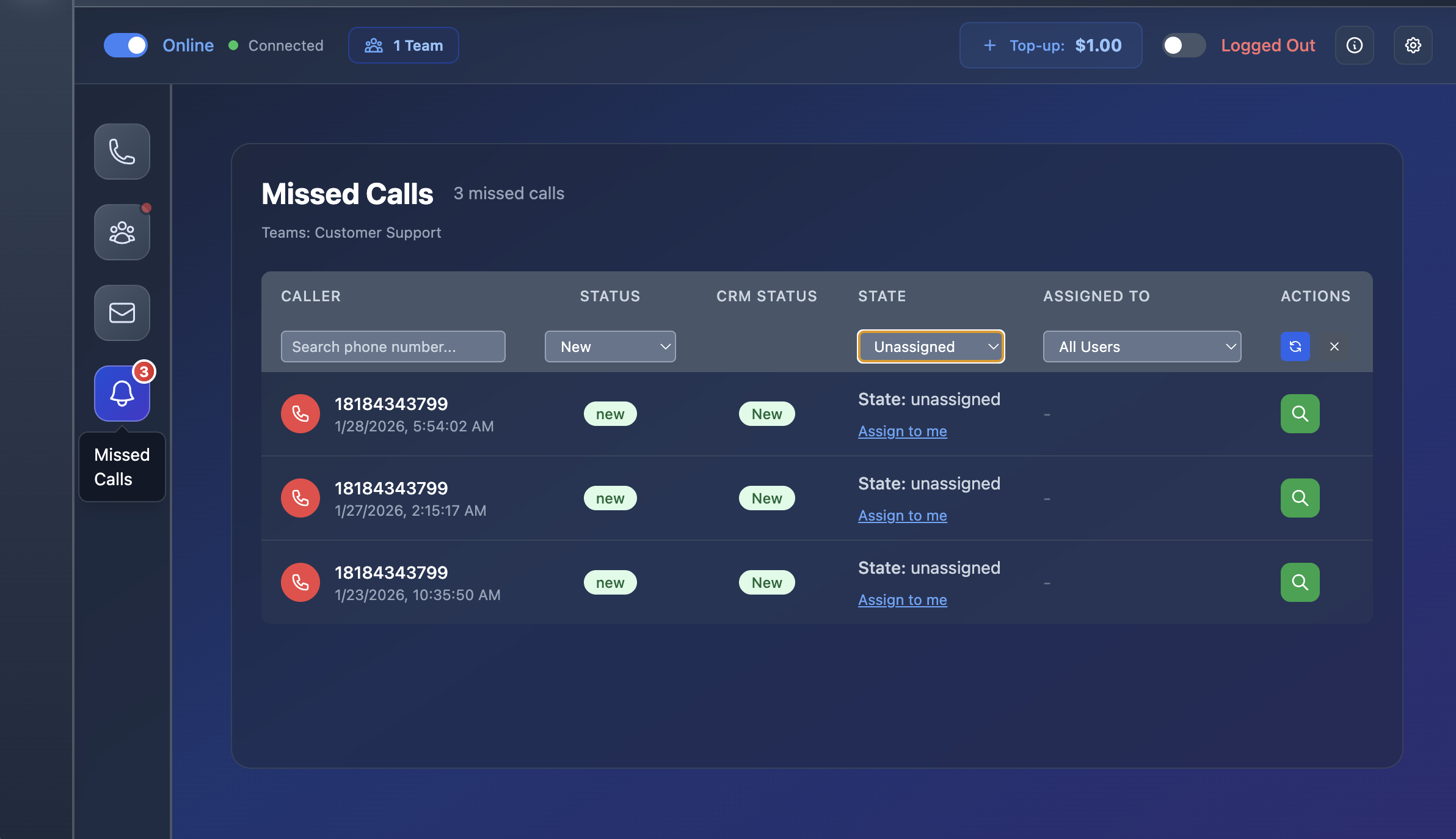
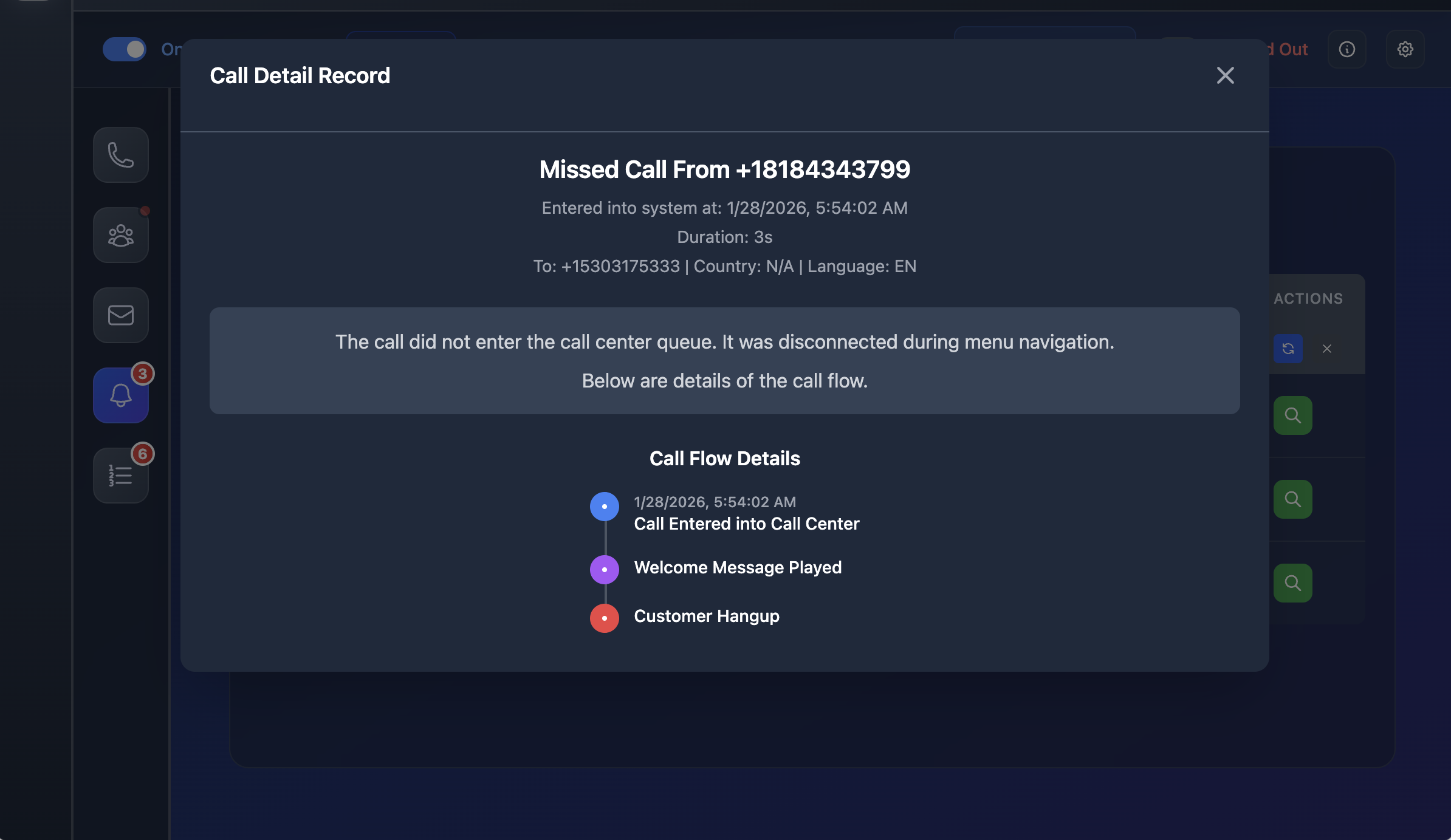
Every inbound call is tracked from start to finish. A missed call is created when the caller hangs up while ringing an agent or waiting in the queue, and no voicemail was left.
Smart Call Routing
Queue timeouts and closed hours redirect to voicemail. If the caller leaves a voicemail, it becomes a voicemail item. If they hang up without recording, it becomes a missed call.
Detailed Call Reasons
Each missed call shows caller, time, hotline/queue, and reason (e.g., "hangup in queue after timeout to voicemail, no message") for complete context.
Shared Workspace Workflow
A collaborative workspace where your team processes missed calls effectively
Shared Workspace
All missed calls land in the same shared "Missed & Voicemail" workspace in the desktop app, making it easy for teams to collaborate.
Assignment System
Items start as "Unassigned" — supervisors can assign them to specific agents or themselves for accountability and follow-up.
Status Tracking
As agents work through callbacks, they move items through statuses: Unassigned → In process → Done, so everyone sees what still needs attention.
Never Disappears
Every call that wasn't answered and didn't result in voicemail becomes a visible, assignable missed call — not something that just disappears into CDR logs.
Analytics & Insights
Understand call patterns and optimize your team's performance
Clear Separation
Queue and agent stats clearly separate: Answered calls, Voicemails left, and Missed calls (no voicemail) for accurate reporting.
Time & Queue Analysis
See not just "we lost X calls", but how many people tried, got to voicemail, and didn't bother to leave a message, at what hours and in which queues.
Agent Correlation
Identify which agents or staffing patterns correlate with more missed calls, helping optimize team performance and scheduling.
Simple for Teams, Powerful for Analysis
From the team's point of view, it's simple: every call that wasn't answered and didn't result in voicemail becomes a visible, assignable missed call with clear status — not something that just disappears into CDR logs.
This lets you see not just "we lost X calls", but how many people tried, got to voicemail, and didn't bother to leave a message, at what hours and in which queues this happens most, and which agents or staffing patterns correlate with more missed calls.